Today
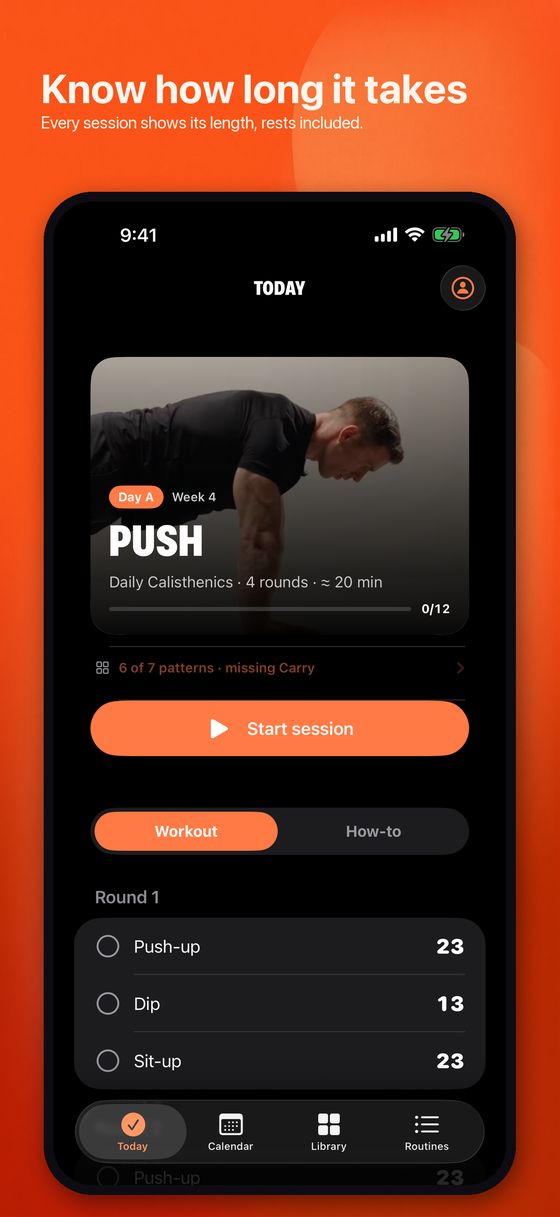
Open the app and Today tells you what this day is. Sessions are lettered — Day A, Day B, Day C — and a rotation moves through them on the calendar, so you never decide what to do. The card shows the letter, the week you are on, how many rounds, and roughly how long it will take.
Under that are two tabs. Workout lists the moves round by round with their rep targets, and you can tick them off by hand if you would rather not use the guided session. How-to shows each move with its clip and a short form note. If today has nothing scheduled, Routine says so and tells you what is next and when.
Running a session
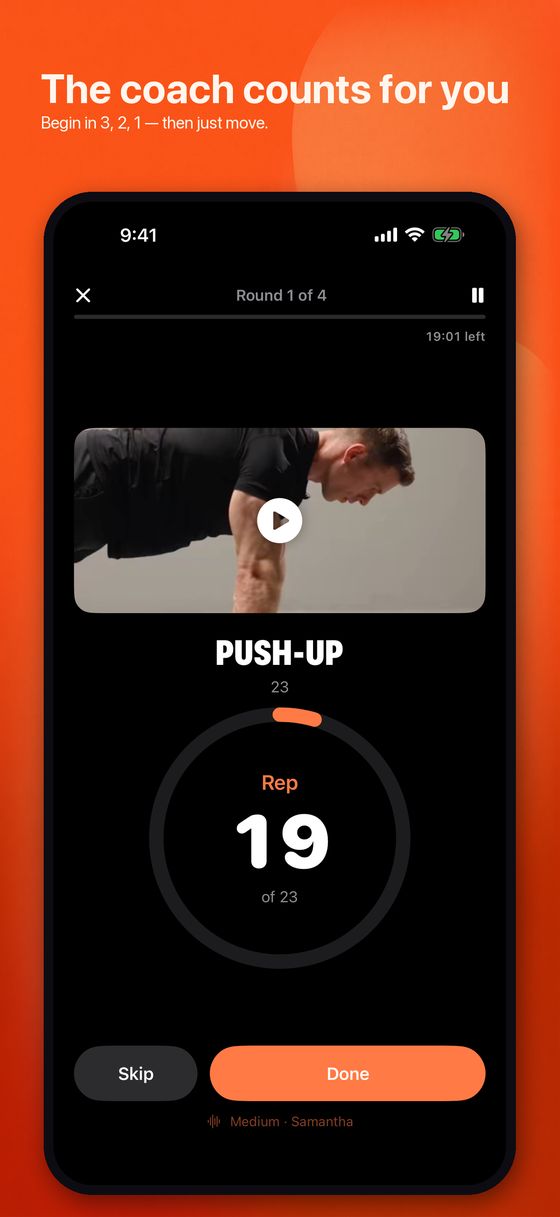
Tap Start session and the phone takes over. Before every move a voice says “Begin push-up in 3, 2, 1” while the screen counts down, then it counts every rep out loud at your tempo. The screen shows Rep 4 of 20 and Round 1 of 4, so a glance tells you where you are, but you do not have to look.
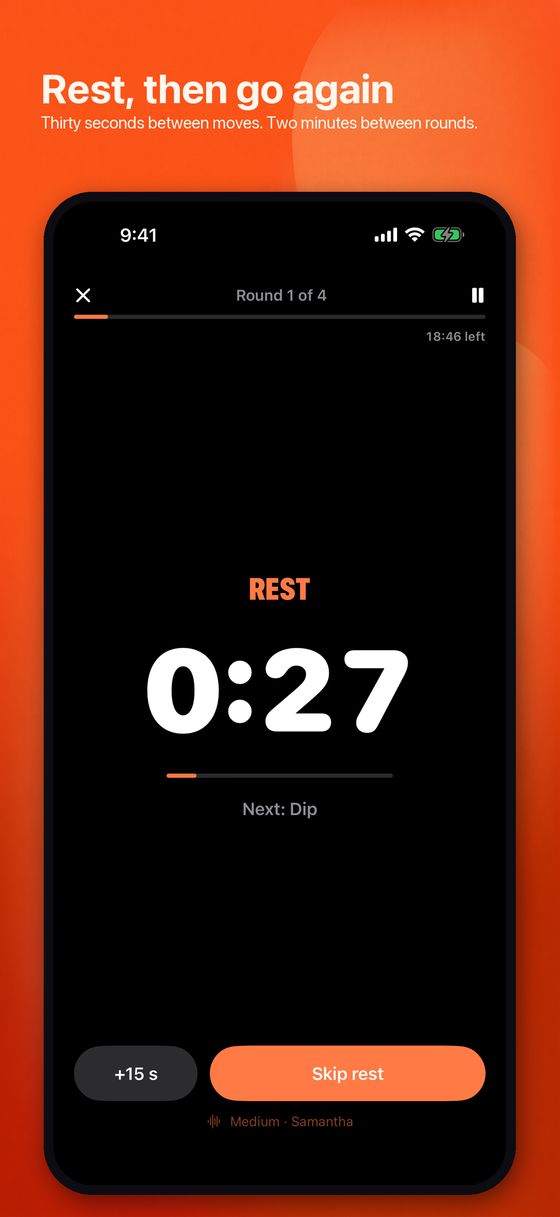
After the last rep it says Rest, stops counting, and shows a large timer with the next move named underneath. There are two different rests, because they do different jobs: a short one between moves (thirty seconds by default) and a longer one between rounds (two minutes). You can add fifteen seconds or skip the rest entirely, and moves done on each side prompt you to switch halfway.
Pause whenever you need to; the countdown freezes with you. At the end the app says the session is done and marks the day complete on the calendar.
How long it takes
Every routine and template shows an estimate — ≈ 18 min — and it is not a guess pulled from the air. It adds up every counted rep at your chosen tempo, holds, side switches, the three-second lead-in before each move, the hand-overs between moves, and both kinds of rest. Because the session engine and the estimate read the same numbers, they cannot drift apart.
During a workout a small time left sits under the progress bar and counts down for the whole session, not just the current move. It stops when you pause and drops when you skip.
Your workouts and the templates
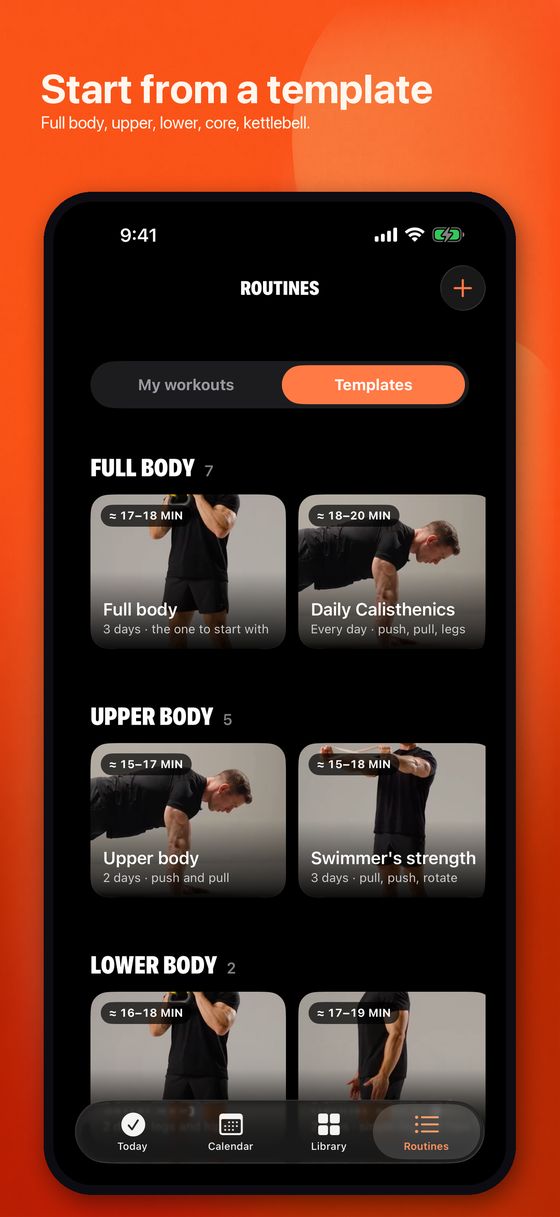
The Routines tab has two halves. My workouts is what you have added. Templates is a shelf of ready-made routines grouped by what they train:
- Full body — including Daily Calisthenics, No equipment, First month and Busy day.
- Upper body — Upper body, Swimmer’s strength, Push day, Push-up styles.
- Lower body — Lower body, Runner’s strength.
- Core.
- Kettlebell — Kettlebell only, Kettlebell full body, Kettlebell upper body.
- Quick — anything that comes in at about twelve minutes or less.
Each card shows its estimated length before you commit to it. Open one to see every day it contains and the moves in each, then tap Add to my routines and the app switches to My workouts with the new routine ready. Everything is editable afterwards — moves, rounds, reps, rests and days.
You can also build one from scratch with the + button: add days, add moves from the library to each, and the routine names itself as it goes. If the result covers all seven movement patterns, the app says so.
Recommended days
Picking training days is where people stall, so each routine suggests one and explains the reasoning in a few words. A three-day full-body routine recommends Monday, Wednesday and Friday — three set days a week, with a day off between. A light daily rotation recommends every day, because each day works something different. An upper-body routine pairs with a lower-body one later in the week. Short sessions say any day you’re short on time.
The recommendation is applied when you add a template, and alternatives sit right underneath it — the same split a day later, six days with Sunday off, three days if you want more rest. Or ignore all of it and tick the days you want. As the app says: a starting point, change it any time.
The move library
The Library tab holds every move, searchable, filtered by equipment — bodyweight, kettlebell, dumbbell, band, barbell — and grouped by pattern: squat, hinge, push, pull, rotate, carry. Each move has a short clip showing the movement and a plain form note, plus a starting rep count and the point at which it suggests making the move harder.
From any move you can add it straight to a routine and pick which day it belongs to, which is the fastest way to fix a routine that is missing something.
Reps that grow, and levelling up
Rep targets rise by one every Sunday. It is deliberately small: over two months that is eight more reps per move without a week that ever felt harder than the last.
Some moves stop growing at a sensible ceiling instead of climbing forever — the app shows capped at for those. Others have a level-up: when you reach the target rep count, Routine suggests a harder version instead, such as adding a weighted vest, and drops the reps back down to start the climb again.
Calendar, streak and badges
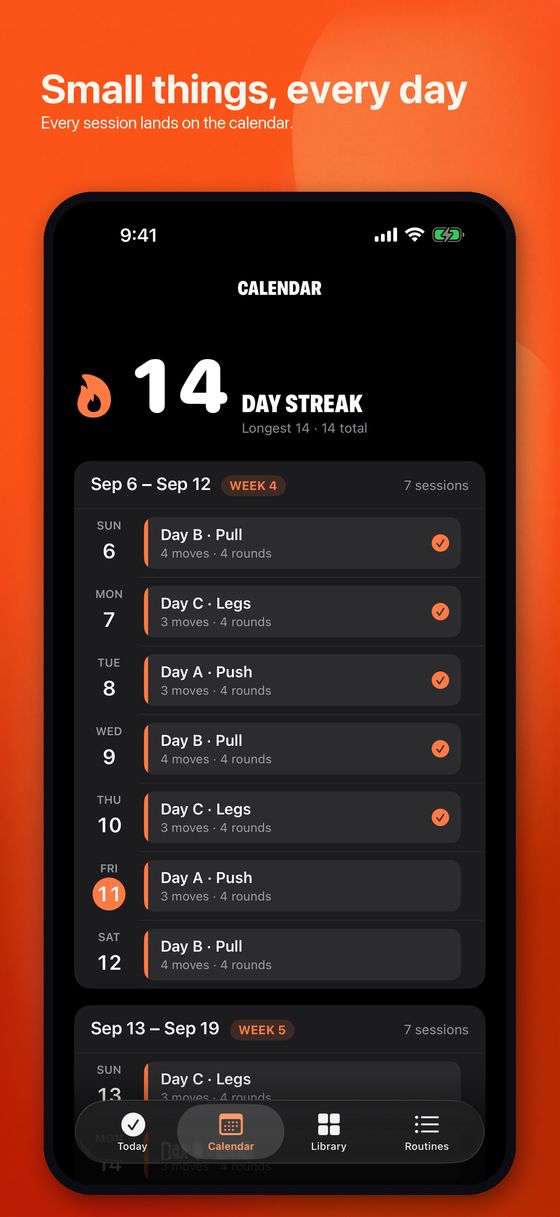
The Calendar tab has two views. List runs week by week, each day showing its letter, the number of moves and rounds, and a tick once it is done. Month is a plain grid: finished days ticked, today ringed, and the letter shown on days you are scheduled to train.
Your streak counts consecutive days trained. Badges run from Day one and Started through one week, two weeks, a month, and onward to a year. They are earned on your longest streak, which means a missed day never takes one away — a rule chosen so that one bad week does not erase two good months.
The You page and settings
Tap the person icon on Today. The top shows your streak — current, longest and total days — then your badges, then the settings:
- Coach — turn the voice on or off, choose which voice, set the tempo (slow is three seconds a rep, medium 2.2, fast 1.6), set the default rest between moves and between rounds, and toggle the haptic beat. Tempo and rests here are what new routines start with; each routine keeps its own.
- Reminders — the daily reminder time for your active routine, and where to change it per routine.
- Your data — Export routines and history writes a file you can keep, and Reset all data wipes the app, behind a confirmation.
- About — version, privacy policy, support, and a link to rate the app.
Questions
Do I need equipment?
No. There are bodyweight routines that need nothing at all, including No equipment and Daily Calisthenics. If you have a kettlebell or dumbbells there are routines for those, and the library filters by what you own.
Can I change the rests?
Yes, both of them, per routine. Open the routine and adjust Rest between moves and Rest between rounds; the length estimate updates as you change them. New routines start from the defaults on the You page.
Does it work without a signal?
Yes. The moves, the clips and your history are on the phone. Airplane mode changes nothing.
Where is my data?
On your iPhone. No account, no server. Export a copy from the You page whenever you want one, and restore a new phone from a backup to bring your history along.
How do I change which days I train?
Open the routine and tap the days row. You get the recommendation, a couple of sensible alternatives, and a plain list of the seven days to tick whatever suits your week.
What if I miss a day?
Nothing breaks. The rotation carries on from where you are, and badges you have already earned stay earned because they are based on your longest streak.
Something is wrong or confusing
Email matthewwestgoodman@gmail.com with what you expected and what happened. See also the support page and the privacy policy.